

![Superfast way to download SVG from any website [+jpg, +gif, +mp4]](/content/images/size/w2000/format/webp/2025/02/extract-svg-from-websites.png)
SVG are hard to download but using inspect mode and downloading assets from a website make it more harder. Stop using inspect mode to download svg, jpg, gif, mp4 media from a website. Use this method which is better, faster and easiest way to download media assets from any website.
Solution
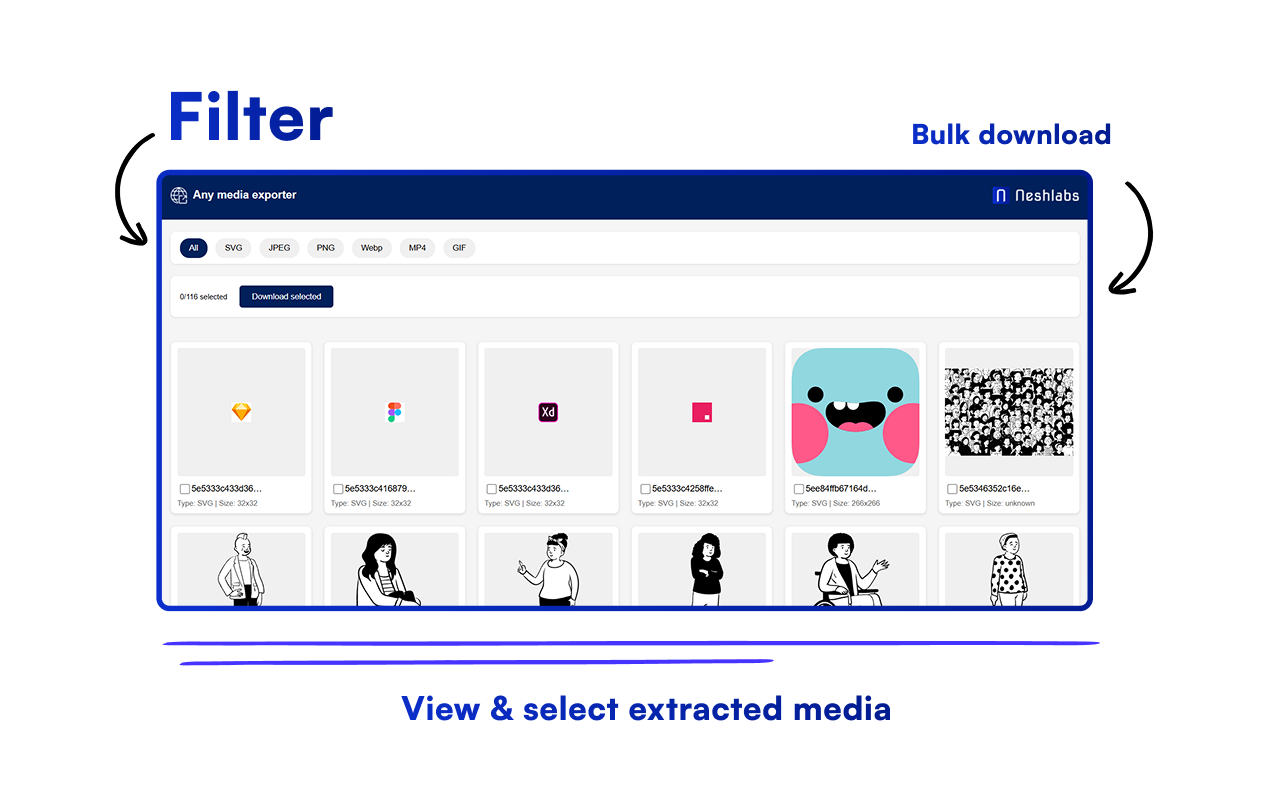
Use any media exporter chrome extension. This extension extracts media assets such as svg, jpg, gif, mp4 and others from any website and show all the assets in a new window.
You can select single or multiple assets by clicking the checkbox and bulk download the assets.
The filters are really helpful to group assets based on media type, so you can view only svg, select & download multiple assets at once.
Key Features:
🖼️ Supports Multiple Formats: JPG, PNG, SVG, WebP, GIF, and more
🔍 Filter by Media Type: Easily sort by format
📥 Bulk Download: Select and download multiple files at once
👌 Easy to Use: Simple interface for everyone
⚡ Fast & Quick: Instant downloads, no waiting
Install Any Media Extractor from the chrome web store, download your favorite media in a snap !


